10 errores al configurar tu tienda de dropshipping
Los 10 errores más comunes al configurar una tienda dropshipping que hunden tus conversiones en 2026, por qué cada uno te cuesta ventas y cómo corregirlos.
La mayoría de las tiendas dropshipping fracasan en sus primeros 90 días, y rara vez es por culpa de malos productos. Los verdaderos asesinos son errores de configuración evitables: páginas que cargan lento, descripciones de producto genéricas, diseños móviles rotos y señales de confianza ausentes que mandan a tus clientes potenciales directos a la competencia.
Tanto si estás descubriendo cómo empezar en dropshipping por primera vez, como si estás aprendiendo cómo montar una tienda Shopify o intentando arreglar una tienda dropshipping que no convierte, esta guía cubre los 10 errores de configuración más comunes y cómo corregir cada uno.
Los 10 errores más comunes al configurar una tienda dropshipping
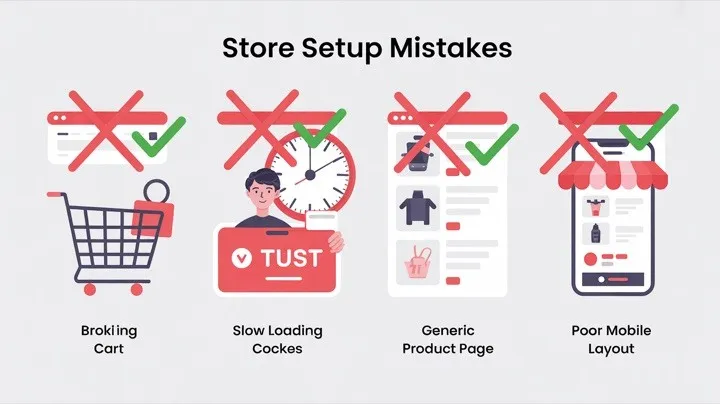
Aquí tienes un resumen rápido antes de entrar en detalle:
| # | Error | Impacto | Dificultad para corregirlo |
|---|---|---|---|
| 1 | Descripciones de producto genéricas del proveedor | Pocas conversiones, mal SEO | Media (o instantánea con IA) |
| 2 | Ignorar la optimización para móvil | 85 % de abandono de carrito en móvil | Media |
| 3 | Sin señales de confianza | Los visitantes se van sin comprar | Fácil |
| 4 | Páginas que cargan lento | 7 % de conversión perdida por segundo | Media |
| 5 | Mala estructura de navegación | Tasas de rebote altas | Fácil |
| 6 | Branding ausente o débil | La tienda parece poco fiable | Media (o instantánea con IA) |
| 7 | Costes ocultos en el checkout | Picos de abandono de carrito | Fácil |
| 8 | Demasiadas apps instaladas | Velocidad del sitio y conflictos | Fácil |
| 9 | Sin base de SEO | Cero tráfico orgánico | Media |
| 10 | Saltarse las páginas legales y de políticas | Pérdida de confianza, posibles problemas | Fácil |
Vamos a desglosar cada uno.
Error n.º 1: usar las descripciones de producto genéricas del proveedor
Este es el error más común de quien está aprendiendo cómo empezar en dropshipping. Importas productos de AliExpress o Alibaba y las descripciones por defecto están mal traducidas, cargadas de características y sin ninguna capacidad de persuasión. Se leen como fichas técnicas, no como textos de venta.
El problema va más allá de la mala redacción. Cuando cientos de tiendas dropshipping usan exactamente las mismas descripciones del proveedor, Google ve contenido duplicado, y eso hunde tu posicionamiento SEO. Tu tienda se vuelve invisible en los resultados de búsqueda.
Cómo corregirlo
Cada producto de tu tienda dropshipping necesita descripciones únicas y centradas en beneficios que conecten con las necesidades y los deseos de tu cliente objetivo. Céntrate en lo que el producto hace por el comprador, no solo en lo que es.
Si reescribir las descripciones a mano te parece inabarcable (sobre todo con más de 50 productos), un creador de tiendas con IA como Dropmagic genera descripciones de producto únicas y optimizadas para conversión automáticamente al importar los productos. La IA escribe textos persuasivos a partir de patrones de marcas de ecommerce con buenos resultados, no de templates genéricos.
Para profundizar en cómo escribir descripciones que convierten, consulta nuestra guía sobre cómo escribir descripciones de producto que convierten.
Error n.º 2: ignorar la optimización para móvil
Hoy la mayor parte de las compras online ocurre en dispositivos móviles, pero muchos dueños de tiendas dropshipping nuevas diseñan y prueban sus tiendas exclusivamente en escritorio. El resultado: botones demasiado pequeños para pulsarlos, imágenes que cargan lento, texto ilegible sin hacer zoom y flujos de checkout que parecen rotos en el móvil.
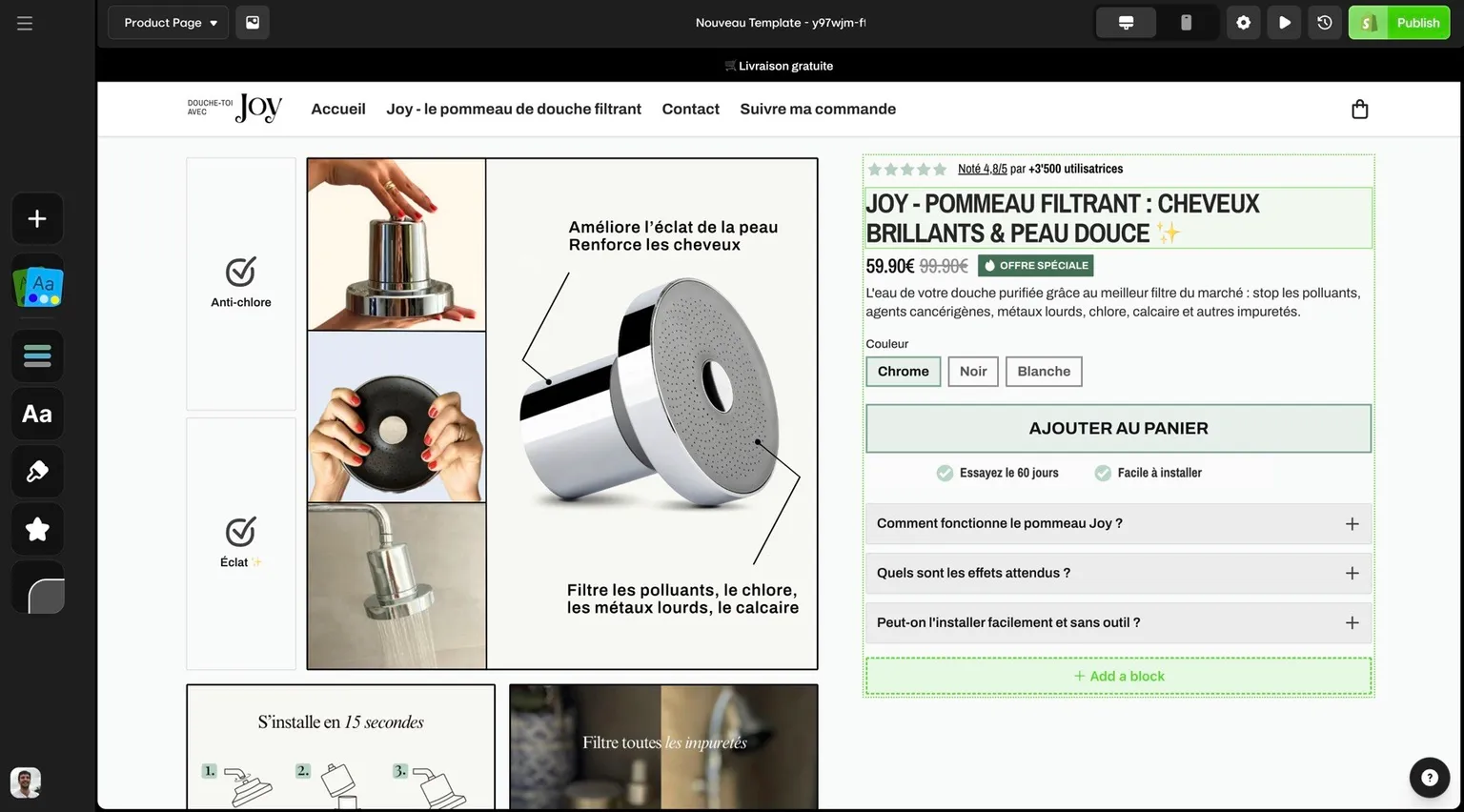
Baymard Institute sitúa el abandono medio de carrito en un 70,22 % a partir de 50 estudios. Buena parte viene de malas experiencias móviles que podrían haberse evitado durante la configuración.
Cómo corregirlo
Prueba cada página de tu tienda en dispositivos móviles reales (no solo en el modo responsive de tu navegador). Comprueba que las imágenes de producto carguen rápido, que los botones de añadir al carrito sean cómodos para el pulgar, que el flujo de checkout funcione sin fricción y que la navegación no obligue a pellizcar ni a hacer zoom.
Cuando montas una tienda Shopify con templates impulsados por IA, la optimización para móvil viene de serie. Dropmagic diseña cada elemento —del tamaño de las imágenes a la posición de los botones y el flujo de checkout— pensando primero en el móvil, y elimina uno de los errores de configuración más comunes y caros.
Error n.º 3: no tener señales de confianza
Las tiendas dropshipping nuevas arrastran un problema de confianza inherente: los visitantes nunca han oído hablar de tu marca. Según el Edelman Trust Barometer, el 81 % de los consumidores necesita confiar en una marca antes de comprar. Sin señales de confianza, la mayoría de compradores mirará y se irá sin comprar, por muy buenos que sean tus productos.
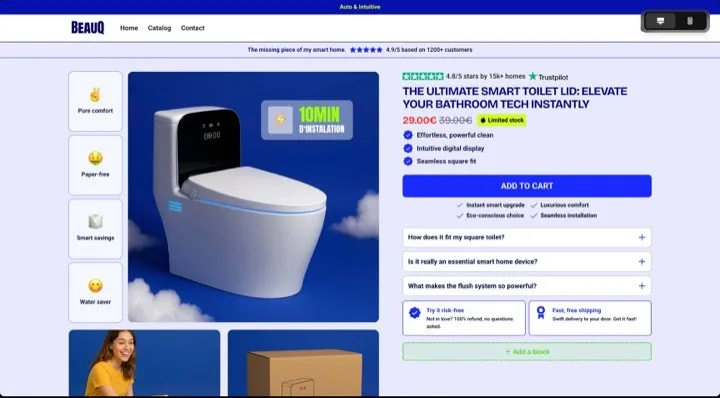
Las carencias de confianza más habituales: no hay reseñas de clientes, faltan sellos de seguridad, no hay una política de devoluciones clara, no hay página “Sobre nosotros” y no se ve ninguna información de contacto.
Cómo corregirlo
Añade estos elementos de confianza a tu tienda dropshipping antes de lanzarla:
-
Sellos de seguridad en las páginas de producto y en el checkout (SSL, logos de las pasarelas de pago)
-
Política clara de devoluciones y reembolsos enlazada desde el pie de página y las páginas de producto
-
Página “Sobre nosotros” que cuente la historia de tu marca (aunque sea corta, genera confianza)
-
Información de contacto: email, teléfono o chat en vivo
-
Secciones de prueba social: reseñas de clientes, testimonios, fotos de usuarios
-
Sellos de confianza: garantías de devolución del dinero, umbrales de envío gratis, checkout seguro
Las más de 50 secciones orientadas a conversión de Dropmagic incluyen bloques de prueba social prediseñados, zonas de sellos de confianza y disparadores de urgencia, todo basado en patrones de marcas de ecommerce de 8 cifras. Se aplican automáticamente al crear tu tienda, así no te olvidas de ningún elemento de confianza crítico.
Error n.º 4: páginas que cargan lento
Cada segundo de carga te cuesta conversiones. Cada segundo extra de carga reduce las conversiones, y buena parte de los visitantes abandona un sitio que tarda más de tres segundos en cargar. En las tiendas dropshipping, donde los clientes no tienen ninguna lealtad de marca y encuentran alternativas con facilidad, la velocidad es todavía más crítica.
Lo que más lastra la velocidad en una tienda dropshipping: imágenes de producto sin optimizar (a menudo tomadas directamente de la web del proveedor), demasiadas apps instaladas, código de tema pesado y scripts externos de herramientas de tracking.
Cómo corregirlo
Empieza por lo básico: comprime todas las imágenes de producto (busca menos de 200 KB cada una), elimina las apps que no uses activamente y elige un tema de Shopify ligero. Usa el informe de velocidad integrado de Shopify o Google PageSpeed Insights para detectar los cuellos de botella concretos.
En las tiendas creadas con Dropmagic, la velocidad viene incorporada en la arquitectura: las imágenes se optimizan automáticamente, el código es limpio (sin peso muerto de apps innecesarias) y la estructura de la tienda sigue las buenas prácticas de Shopify para un renderizado rápido.
Error n.º 5: una estructura de navegación pobre
Los visitantes escanean tu navegación en segundos. Si no encuentran lo que buscan, se van. Los errores de navegación más habituales en tiendas dropshipping son menús saturados con demasiadas categorías, etiquetas confusas y ningún camino claro desde el catálogo hasta el checkout.
Cómo corregirlo
Limita tu navegación principal a 5–8 elementos como máximo. Usa etiquetas de categoría claras y directas: “Ropa de mujer”, no “Colecciones seleccionadas”. Incluye estas páginas esenciales: Inicio, Tienda (con subcategorías), Sobre nosotros, Contacto y FAQ.
Coloca las páginas de políticas (Política de privacidad, Términos del servicio, Política de devoluciones) en el pie de página, no en el menú principal. Añade una barra de búsqueda con filtros si tu tienda tiene más de 20 productos. Y asegúrate de que tu logo siempre enlace a la página de inicio.
Para un recorrido completo de la configuración, consulta nuestra checklist completa para lanzar tu tienda online.
Error n.º 6: branding ausente o débil
Muchas tiendas dropshipping son idénticas: el mismo tema genérico, sin logo, la paleta de colores por defecto, textos de relleno sin tocar. Según Lucidpress (Marq), un branding coherente aumenta los ingresos hasta un 33 %. Cuando tu tienda no tiene una identidad visual propia, los clientes la perciben como poco fiable o pasajera. Eso es especialmente dañino en dropshipping, donde compites contra miles de tiendas dropshipping que venden productos parecidos.
Cómo corregirlo
Tu tienda dropshipping necesita como mínimo: un logo profesional, una paleta de colores coherente (2–3 colores), una tipografía cohesionada y fotografía de producto o imágenes de estilo de vida con tu marca.
Contratar a un diseñador puede costar ,000–5,000 por un pack básico de identidad de marca. Un creador de tiendas con IA ofrece un camino más rápido: cuando montas una tienda Shopify con Dropmagic, genera una identidad visual completa (logo, colores, tipografía, layouts de página) a partir de tu nicho de producto y tu público objetivo.
Para saber más sobre cómo la IA gestiona el branding, échale un vistazo a cómo el branding con IA transforma el diseño de las tiendas dropshipping. También puedes comparar distintos enfoques de branding con IA en nuestro hub comparativo de creadores de tiendas con IA.
Error n.º 7: costes ocultos en el checkout
Los costes ocultos son la razón número uno de abandono de carrito. Baymard Institute encontró que el 40 % de los compradores abandona el carrito por gastos inesperados: envío, impuestos o costes de gestión que no eran visibles hasta el último paso del checkout.
En dropshipping, donde los plazos de envío ya son más largos de lo que espera alguien acostumbrado a Amazon Prime, sorprender al cliente con costes extra mata la conversión.
Cómo corregirlo
Muestra todos los costes por adelantado. Enseña los gastos de envío en las páginas de producto (o ofrece envío gratis e incorpora el coste al precio). Sé transparente con los plazos de entrega estimados. Si los impuestos varían, indica claramente “impuestos calculados en el checkout” al principio del flujo de compra.
Plantéate ofrecer un umbral de envío gratis (por ejemplo, “Envío gratis en pedidos superiores a ”): puede aumentar el AOV y eliminar a la vez el mayor detonante de abandono.
Error n.º 8: instalar demasiadas apps de Shopify
Los dueños de tiendas nuevas suelen instalar decenas de apps para reseñas, upsells, popups, captación de emails, contadores y más. Según BuiltWith, la tienda Shopify media usa 6–8 apps. Cada app añade código JavaScript a tu sitio, lo que aumenta los tiempos de carga y crea posibles conflictos. Algunas apps siguen ejecutando procesos en segundo plano aunque no estés usando sus funciones.
Cómo corregirlo
Audita las apps que tienes instaladas y elimina todo lo que no uses activamente. Antes de instalar una app nueva, comprueba si esa funcionalidad ya existe en tu tema o si puedes conseguirla con las funciones nativas de Shopify.
Una ventaja central de montar tu tienda dropshipping con templates de IA es que muchas funciones que requerirían apps aparte —prueba social, contadores de urgencia, secciones de conversión, descripciones de producto optimizadas— vienen integradas en el template. Eso significa menos apps, tiempos de carga más rápidos y menos quebraderos de cabeza de compatibilidad. Consulta nuestra guía de los mejores temas de Shopify y templates de IA para dropshipping.
Error n.º 9: sin base de SEO
Muchos dueños de tiendas dropshipping se saltan el SEO por completo y dependen solo de la publicidad de pago para traer tráfico. Funciona hasta que se acaba el presupuesto de anuncios, y entonces tu tienda se queda con cero visitantes. Sin una base de SEO, te pierdes un tráfico orgánico gratuito y sostenible.
Los errores de SEO más habituales: no hay meta títulos ni descripciones, contenido duplicado de las descripciones del proveedor, faltan las etiquetas alt de las imágenes, mala estructura de encabezados y ninguna estrategia de enlazado interno.
Cómo corregirlo
Como mínimo, cada página de tu tienda necesita una etiqueta title y una meta description únicas con keywords relevantes. Escribe descripciones de producto originales (consulta el error n.º 1). Añade texto alt descriptivo a todas las imágenes. Usa una jerarquía de encabezados correcta (H1 → H2 → H3). Construye enlaces internos entre productos relacionados y contenido del blog.
Un creador de tiendas Shopify con IA como Dropmagic se encarga de estos fundamentos de SEO automáticamente —estructura de encabezados correcta, meta descriptions únicas, texto alt y código limpio— y le da a tu tienda dropshipping una ventaja de posicionamiento desde el primer día. Para comparativas detalladas de herramientas, consulta Shopify Magic vs Dropmagic y PagePilot vs Dropmagic.
Para la guía completa de configuración, consulta cómo montar una tienda Shopify en menos de 30 minutos.
Error n.º 10: saltarse las páginas legales y de políticas
Que falten las páginas legales —Política de privacidad, Términos del servicio, Política de devoluciones y reembolsos— no solo erosiona la confianza del cliente. También puede hacer que tu pasarela de pago te marque, que te rechacen los anuncios y que tu tienda acabe con problemas legales. Muchos dropshippers nuevos se saltan estas páginas porque parecen aburridas o complicadas, pero si estás aprendiendo cómo empezar en dropshipping, dejar tus páginas legales bien desde el primer día te ahorra disgustos serios más adelante.
Cómo corregirlo
Crea estas páginas antes de que tu tienda esté en vivo: Política de privacidad, Términos del servicio, Política de envíos y Política de devoluciones y reembolsos. Shopify ofrece un template para cada una que puedes personalizar. Enlázalas desde el pie de página en todas las páginas.
Sé específico en tu política de envíos: los plazos de entrega en dropshipping suelen ser más largos que los de una logística nacional, así que fijar expectativas claras evita disputas y contracargos.
Cómo un creador de tiendas con IA evita estos errores automáticamente
Muchos de los errores anteriores pasan porque montar una tienda dropshipping a mano implica decenas de pasos separados, cada uno con sus propias trampas. Cuando estás aprendiendo cómo montar una tienda Shopify, es fácil olvidar un elemento, y tu tasa de conversión lo paga.
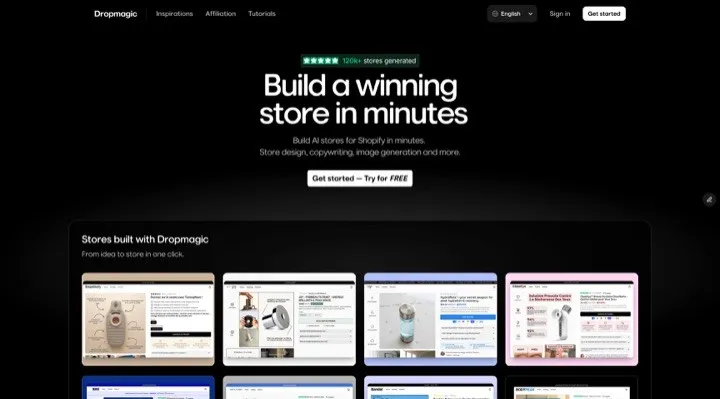
Aquí es donde un creador de tiendas con IA cambia la ecuación. Cuando montas una tienda Shopify con Dropmagic, la mayoría de estos errores se evitan por diseño:
| Error | Riesgo en una tienda manual | Con Dropmagic |
|---|---|---|
| Descripciones genéricas | Copiadas y pegadas de los proveedores | Textos únicos y persuasivos generados por IA |
| Mala experiencia móvil | Exige pruebas y arreglos manuales | Diseño mobile-first integrado |
| Sin señales de confianza | Hay que añadirlas a mano | Más de 50 secciones de conversión prediseñadas |
| Carga lenta | Exceso de apps, imágenes sin optimizar | Código limpio, assets optimizados |
| Branding débil | Contratar a un diseñador (K–5K) | Identidad de marca generada por IA |
| Sin base de SEO | Hay que configurarlo a mano | Meta tags, encabezados y texto alt automatizados |
El resultado es una tienda dropshipping completa, con marca propia y optimizada para conversión, sin las decenas de pasos manuales donde las cosas suelen torcerse.
¿Listo para saltarte estos errores por completo? Consulta todas las funciones del creador de tiendas con IA de Dropmagic o prueba nuestros templates con IA para dropshipping.
FAQ
¿Cuál es el mayor error al configurar una tienda dropshipping?
El error más dañino es usar las descripciones de producto genéricas del proveedor en toda la tienda. A la vez perjudica tu SEO (Google penaliza el contenido duplicado), reduce las conversiones (un texto de ficha técnica no persuade) y hace que tu tienda parezca idéntica a cualquier otra tienda dropshipping que venda los mismos productos. Arreglar los textos de producto —o usar un creador de tiendas con IA que genere descripciones únicas automáticamente— es el cambio individual con más ROI.
¿Cómo sé si mi tienda dropshipping tiene problemas de configuración?
Mira tres métricas: la tasa de rebote (por encima del 60 % apunta a problemas de navegación o de velocidad), la tasa de abandono de carrito (por encima del 75 % sugiere problemas de confianza o de precio) y la tasa de conversión en móvil (si es bastante más baja que en escritorio, tu experiencia móvil necesita trabajo). Usa Google PageSpeed Insights para revisar los tiempos de carga y el dashboard de analíticas integrado de Shopify para seguir estas cifras.
¿Cuánto se tarda en corregir los errores comunes de una tienda dropshipping?
Depende del enfoque. Corregir a mano los 10 errores de esta guía puede llevar 2–4 semanas de trabajo: reescribir descripciones, optimizar imágenes, añadir elementos de confianza, arreglar los layouts móviles y configurar el SEO. Usar un creador de tiendas con IA como Dropmagic evita la mayoría de estos problemas desde el principio, porque la IA se encarga de los textos de producto, el branding, la optimización para móvil, las secciones de confianza y las bases de SEO automáticamente durante la creación de la tienda.
¿Puedo montar una tienda Shopify que evite estos errores sin conocimientos técnicos?
Sí. El sentido de un creador de tiendas Shopify con IA es justamente eliminar las barreras técnicas que provocan estos errores. Cuando montas una tienda Shopify con Dropmagic, pegas la URL de un producto y la IA genera una tienda completa y optimizada, sin necesidad de saber programar, diseñar ni escribir copy. Después puedes personalizarlo todo desde un editor visual.
¿Cómo empezar en dropshipping sin cometer errores caros?
Empieza con un marco probado en lugar de descubrirlo todo desde cero. Nuestra guía sobre cómo empezar en dropshipping gratis te lleva por todo el proceso con una inversión inicial mínima. Combínala con La guía completa del dropshipping (2026), nuestra checklist de lanzamiento para asegurarte de no saltarte pasos críticos de configuración, y un creador de tiendas con IA que automatice las partes más propensas a errores.
¿Cómo montar una tienda Shopify que convierta desde el primer día?
La vía más rápida para montar una tienda Shopify que convierta es usar un creador de tiendas con IA que resuelva los 10 errores comunes automáticamente. Dropmagic genera descripciones de producto únicas, branding profesional, layouts optimizados para móvil, señales de confianza y bases de SEO, todo a partir de una sola URL de producto. Así tienes una tienda dropshipping lista para convertir desde el lanzamiento, no una que necesita semanas de arreglos manuales. Para un recorrido paso a paso, consulta cómo montar una tienda Shopify en menos de 30 minutos.
¿Buscas una forma con IA de montar tu tienda dropshipping? Consulta nuestra guía completa de creadores de tiendas dropshipping con IA en 2026.