Shopify Dropshipping Launch Checklist (2026)
The complete checklist for launching a Shopify dropshipping store in 2026: product, store build, legal pages, payments, shipping and your launch traffic.
Launching a dropshipping store on Shopify doesn't have to be overwhelming. This step-by-step checklist walks you through every phase — from choosing the best ecommerce platform for dropshipping to testing your checkout and promoting your launch. Whether you're learning how to build a Shopify store for the first time or scaling an existing dropshipping store, follow these steps to launch with confidence.
Merchants who use AI-powered tools to build shopify store assets launch far faster than those who build manually. With the right tools — especially an AI store builder — you can compress weeks of setup into a single day.
Quick-Reference Launch Checklist
| Phase | Key Steps | Time Estimate |
|---|---|---|
| 1. Platform & Domain | Choose Shopify, register domain, configure US settings | 1–2 hours |
| 2. AI Setup | Connect Dropmagic, import products, generate copy & branding | 30–60 minutes |
| 3. Store Design | Pick theme, organize navigation, optimize images & mobile | 2–4 hours |
| 4. Operations & Legal | Shipping, legal pages, analytics tracking | 2–3 hours |
| 5. Testing & Launch | Test payments, review content, promote launch | 2–3 hours |
Let’s break down each phase.
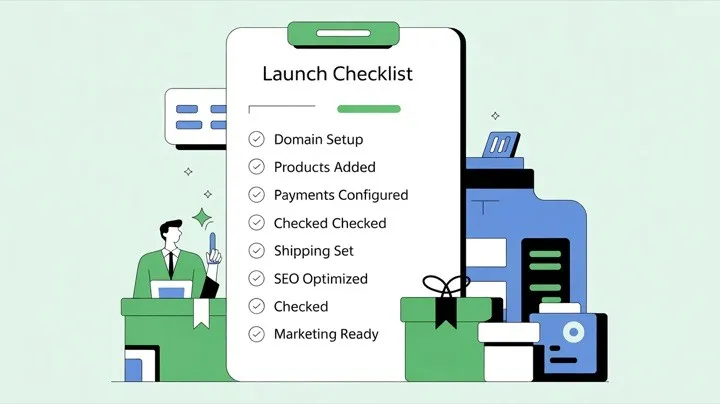
Choosing the Best Ecommerce Platform for Dropshipping
Before diving into store setup, you need to pick the right platform. The ecommerce platform for dropshipping you choose affects everything — from product management to checkout speed to how easily you can integrate AI tools. Here’s how the major options compare:
| Platform | Starting Price | Dropshipping Support | AI Store Builder Integration | Best For |
|---|---|---|---|---|
| Shopify | $39/month | Native + 500+ apps (DSers, Oberlo alternatives) | Full (Dropmagic, Shopify Magic) | Most dropshippers — best app ecosystem |
| WooCommerce | Free (hosting ~$10–30/mo) | Via plugins (AliDropship, WooDropship) | Limited | WordPress users who want full control |
| BigCommerce | $39/month | Built-in features + apps | Limited | Multi-channel sellers at scale |
| Wix | $27/month | Via Modalyst integration | Wix ADI (basic) | Simple stores with few products |
Why Shopify wins for dropshipping: According to BuiltWith, Shopify powers over 6.9 million live stores globally, with an app ecosystem of over 500 dropshipping-specific apps. It integrates directly with AI store builders like Dropmagic that automate product imports, copywriting, and branding. According to Shopify, Shopify’s checkout converts 15% better than competitors on average, which directly impacts your bottom line.
For the rest of this checklist, we’ll focus on building your dropshipping store on Shopify — the ecommerce platform for dropshipping that gives you the most flexibility to grow.
Phase 1: Set Up Your Shopify Store
1.1 Sign Up and Register Your Domain
Start by signing up for Shopify’s free trial to explore the admin panel before committing to a paid plan. Once you’re ready, choose a plan that fits your stage:
-
Basic ($39/month): Covers essentials for new dropshipping stores
-
Shopify ($105/month): Adds professional reports and lower transaction fees
-
Advanced ($399/month): Best for high-volume stores with international sales
Register a .com domain that reflects your brand. Shopify lets you purchase one directly or connect a domain you already own. According to Verisign, .com remains the most trusted TLD globally — building instant credibility with US shoppers.
1.2 Configure US-Specific Settings
US customers expect specific formatting. Navigate to Settings > General > Store details and configure:
-
Currency: USD ($)
-
Date format: MM/DD/YYYY
-
Number format: Commas for thousands, periods for decimals
-
Sales tax: Go to Settings > Taxes and duties > United States > Collect sales tax
If you plan to sell internationally later, Shopify Markets and the Geolocation App can display the correct currency based on each visitor’s location.
1.3 Add Payment Methods
US shoppers expect multiple payment options. Mobile payment volume is enormous and growing fast. Set up these essentials:
-
Shopify Payments: Automatically accepts Visa, Mastercard, Amex, and Discover
-
PayPal: Many customers trust businesses more when PayPal is available
-
Apple Pay & Google Pay: Reduces cart abandonment on mobile
-
Shop Pay: Shopify’s one-click checkout option
Test each method with small transactions before launch. A balanced mix of credit cards, PayPal, and at least one mobile wallet covers the vast majority of US shoppers.
Checklist checkpoint: Platform selected ✓ Domain registered ✓ Currency and tax configured ✓ Payment methods tested ✓
Phase 2: Add AI Automation with Dropmagic
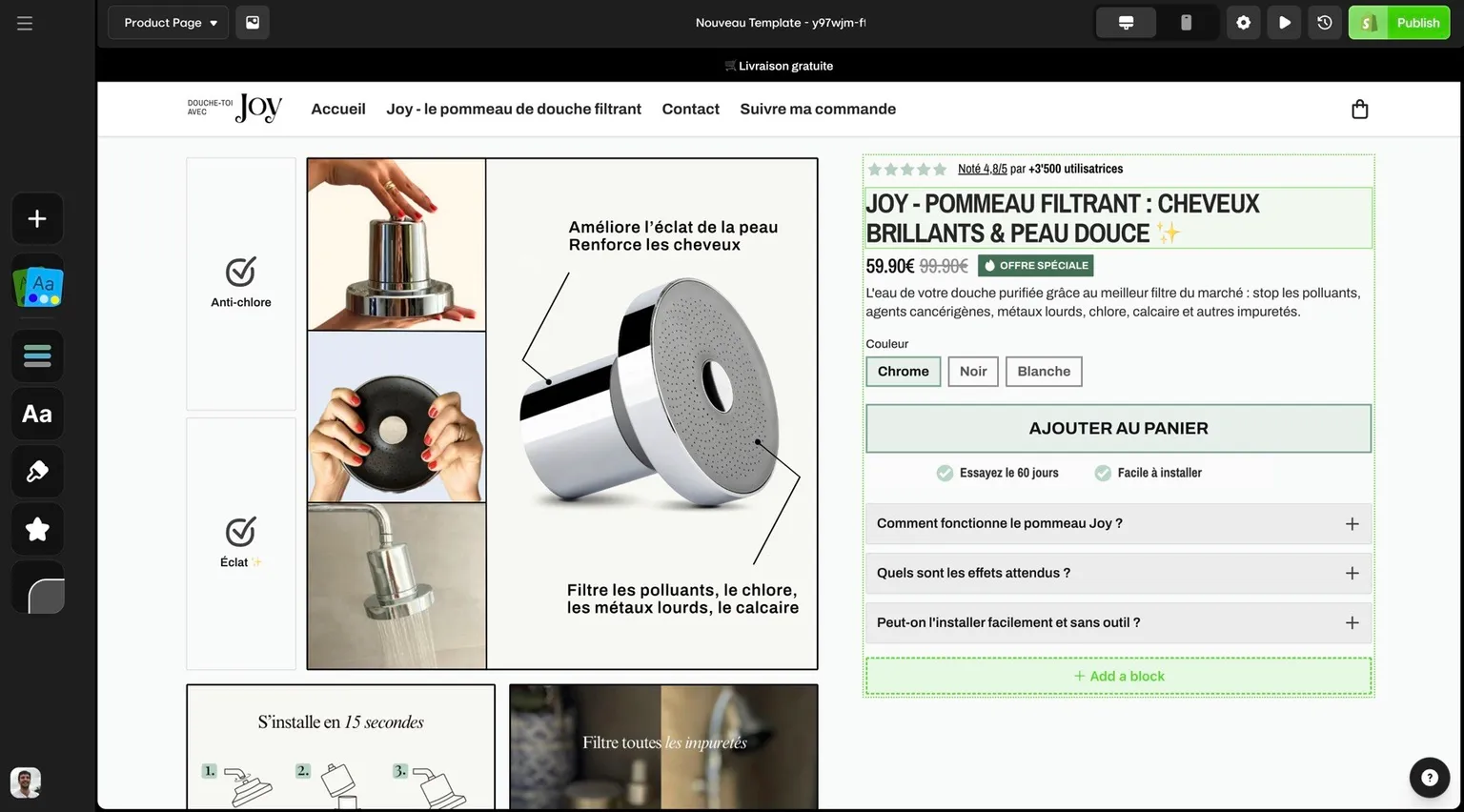
With your Shopify foundation in place, it’s time to accelerate setup with an ai store builder. Tasks that traditionally take weeks — importing products, writing descriptions, designing layouts — can be done in minutes with Dropmagic.
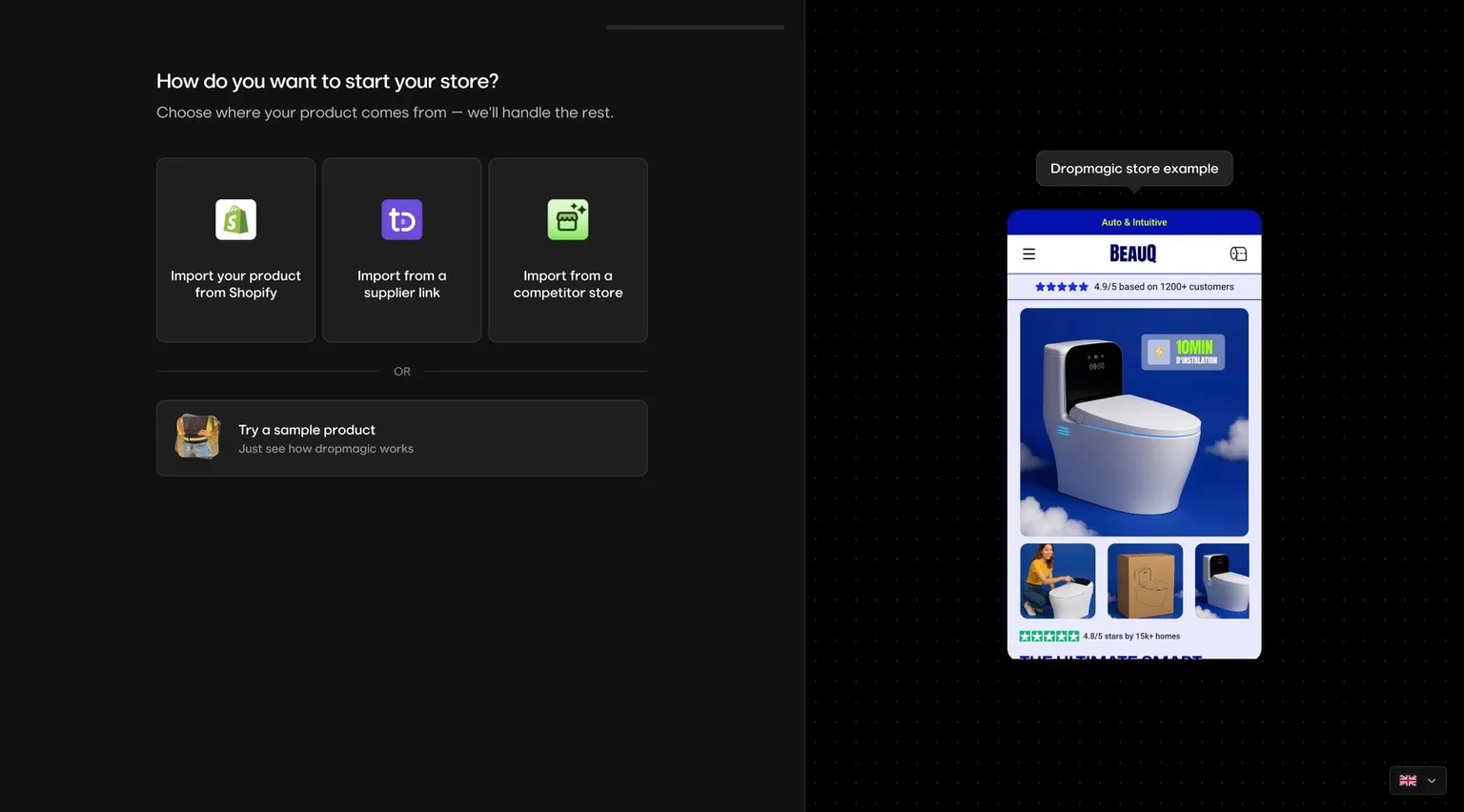
2.1 Import Products Automatically
Manually adding products is one of the biggest time sinks when you build shopify store assets from scratch. Dropmagic solves this with one-click product imports from AliExpress, Amazon, and Alibaba.
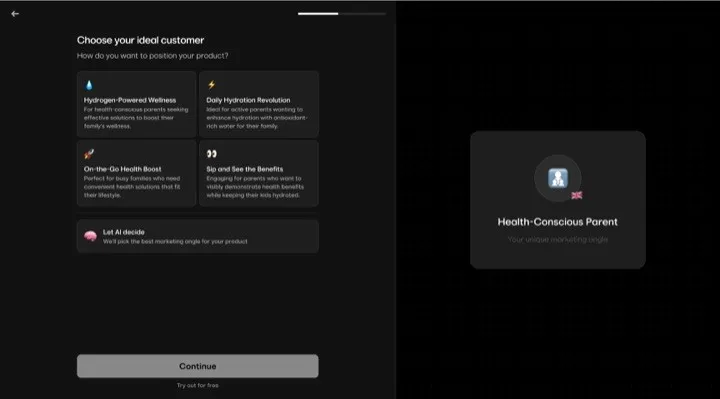
Paste a product URL, and Dropmagic’s AI handles the rest — importing images, specs, and pricing. The AI also optimizes pricing based on market data, whether your goal is competitive positioning or margin maximization.
This is especially valuable when you’re learning how to start dropshipping and want to test multiple product ideas quickly. You can launch several store concepts in a single day.
2.2 Generate AI Product Copy and Branding
Hiring copywriters and designers adds weeks and thousands of dollars to your timeline. According to Content Marketing Institute, professional product copy costs $500–$2,000 per page. Dropmagic’s AI — trained on high-performing ecommerce content from 8-figure brands — generates everything automatically:
-
Persuasive product headlines that highlight key benefits
-
Detailed descriptions addressing customer needs and objections
-
Consistent brand messaging across your entire store
-
Conversion-optimized CTAs designed to drive purchases
-
50+ sales-focused sections including social proof, urgency triggers, and benefit blocks
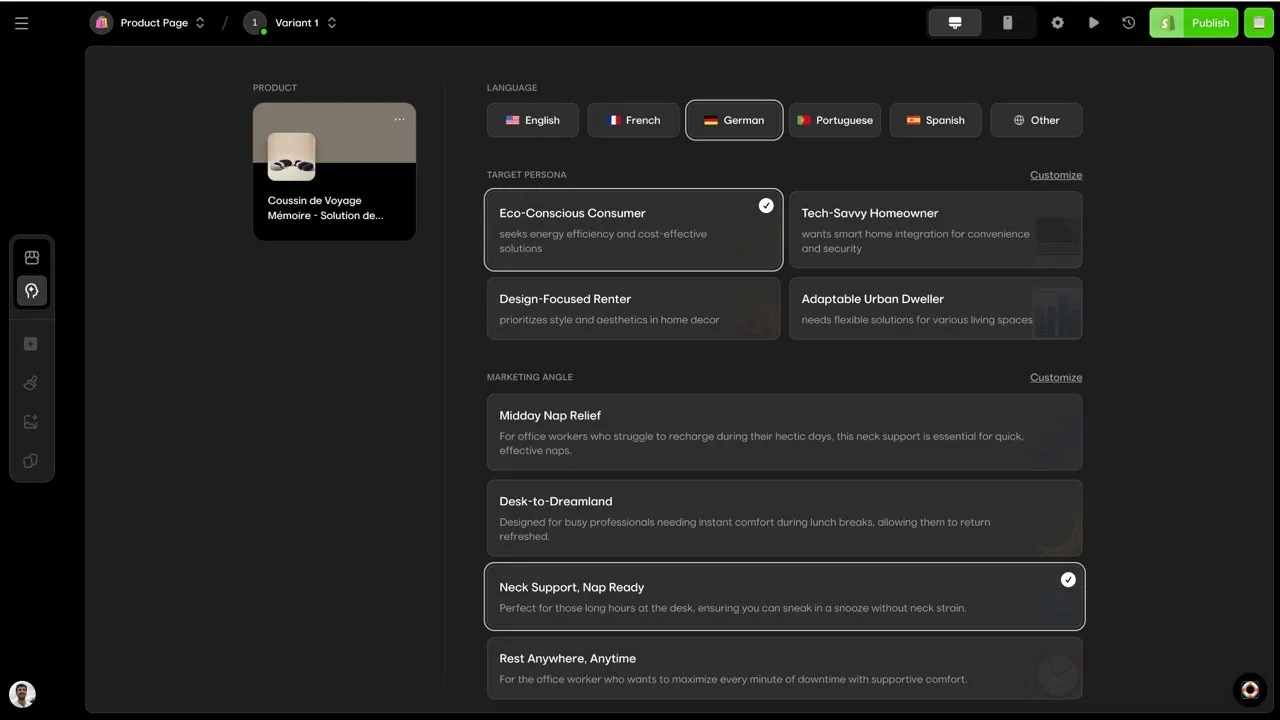
The result is a complete, branded dropshipping store — not just a generic template with placeholder text. Everything from your homepage to product pages to cart is built for conversions. If you want to build my store ai-first, this is the fastest path.
2.3 Set Up Multiple Languages
According to U.S. Census Bureau, the US market includes nearly 45 million Spanish speakers and millions of other non-English-speaking communities. Adding multilingual support expands your audience immediately — according to CSA Research, 75% of online shoppers prefer buying in their native language.
Dropmagic doesn’t just translate — it adapts your copy to stay persuasive and brand-consistent in each language. Start with Spanish to capture the largest non-English US audience, then expand based on your analytics data.
Checklist checkpoint: Products imported ✓ AI copy generated ✓ Branding applied ✓ Languages configured ✓
Phase 3: Design Your Store for Conversions
Great products and copy mean nothing if your store’s design doesn’t convert visitors into buyers. Focus on three areas: theme selection, navigation, and mobile optimization.
3.1 Select a Sales-Focused Theme
Your theme is the foundation of your store’s conversion rate. Look for themes with built-in sales features: trust badges, customer reviews, countdown timers, stock counters, and recommendation engines.
When evaluating themes, test for mobile responsiveness, page speed, SEO compatibility, and customization flexibility. If you’re using Dropmagic, its 50+ conversion-optimized sections are already designed for maximum sales impact — giving you a head start over generic Shopify themes.
For more on choosing the right builder, see our guide to the top drag-and-drop Shopify page builders.
3.2 Organize Navigation and Site Layout
Poor navigation kills conversions — shoppers who can’t find a product leave for a competitor. Follow these rules:
-
Keep your main menu to 5–7 top-level categories maximum
-
Make your logo clickable and linked to your homepage
-
Use clear, descriptive labels (“Women’s Shoes” not “Category 3”)
-
Add a sticky navigation bar that stays visible on scroll
-
Include a search bar prominently in your header
Most online shopping happens on mobile. Test your navigation on phones first. Every menu, dropdown, and filter should work with thumb-friendly tap targets.
3.3 Optimize Images and Mobile Display
Shoppers consistently rank clear product images among the top factors in a purchase decision. Optimize your visuals:
-
Use JPEG for photos, PNG for graphics, WebP for the best speed/quality balance
-
Compress images to reduce file size without losing visible quality
-
Add descriptive alt text with relevant keywords for SEO
-
Name files descriptively (“blue-running-shoes-side-view.jpg” not “IMG_4521.jpg”)
Mobile optimization is critical — according to Barilliance, mobile cart abandonment reaches 85.65%, compared to 73.07% on desktop. Fast-loading pages convert far better than slow ones. Keep layouts clean, text readable, and checkout steps minimal.
For a deeper dive, check out our guide on common store setup mistakes and how to avoid them.
Checklist checkpoint: Theme selected ✓ Navigation organized ✓ Images optimized ✓ Mobile tested ✓
Phase 4: Operations, Legal, and Analytics
Your storefront looks great — now set up the backend systems that keep your business compliant and measurable.
4.1 Configure Shipping and Delivery
For US-based dropshipping stores, shipping setup involves both logistics and legal compliance. The FTC’s Mail, Internet, or Telephone Order Merchandise Rule requires you to have a reasonable basis for your shipping estimates. If no timeframe is stated, you must ship within 30 days — violations can result in fines up to $50,120 per incident.
Even as a dropshipper relying on third-party suppliers, compliance responsibility falls on you. Your product pages should clearly display shipping costs, estimated delivery times, and any applicable taxes.
Use imperial measurements (pounds and inches) for US customers, and familiarize yourself with carrier restrictions for UPS, USPS, and FedEx.
4.2 Create Required Legal Pages
Every US online store needs these legal pages:
-
Privacy Policy (required): Outline what data you collect, how it’s used, and who you share it with. Essential under the California Consumer Privacy Act (CCPA) and other state laws.
-
Terms and Conditions (recommended): Establishes rules for your website, protects intellectual property, and limits liability.
-
Cookie Policy: Informs users about tracking technologies. Some states require explicit consent.
-
Return/Refund Policy: Sets clear expectations — especially important for dropshipping where return logistics are more complex.
-
Accessibility Statement: WebAIM finds that the overwhelming majority of US websites fail WCAG standards. An accessibility commitment shows good faith and expands your audience.
4.3 Install Analytics from Day One
Tracking data from your very first visitor gives you a baseline for optimization. Set up two essential tools:
Google Analytics (GA4): Free, powerful ecommerce tracking. Monitor traffic sources, conversion funnels, and customer behavior. Retailers using GA4 have reported sharp reductions in cost per acquisition and an 18x boost in conversion rates.
Shopify Analytics: Built-in metrics including conversion rate, average order value, and customer lifetime value — no additional setup required.
Install both before launch so you never miss a data point.
Checklist checkpoint: Shipping configured ✓ Legal pages published ✓ Tax settings verified ✓ Analytics installed ✓
Phase 5: Test Everything and Launch
Skipping pre-launch testing is like opening a physical store without checking if the register works. This phase catches problems before your customers do.
5.1 Test Payment and Checkout Flows
Shopify’s test mode lets you simulate transactions without real charges. Test with these card numbers:
| Card Type | Test Number |
|---|---|
| Visa | 4242 4242 4242 4242 |
| Mastercard | 5555 5555 5555 4444 |
| Amex | 3782 822463 10005 |
Also test failure scenarios (declined cards, insufficient funds) to make sure error messages are clear and helpful. Simulate the complete shopping journey: browse → add to cart → apply discount code → checkout → order confirmation email.
Test on multiple devices — iOS and Android, portrait and landscape. According to Apple’s HIG, buttons should be at least 44x44 points for easy tapping. Use Google’s Mobile-Friendly Test to verify usability.
5.2 Review All Content and Settings
Do a final content sweep:
-
Verify every product description, price, and inventory count
-
Check automated emails (order confirmation, shipping updates) for formatting and links
-
Confirm all legal pages are accessible from the footer
-
Ensure images have alt text and load quickly
-
Test keyboard navigation and color contrast for accessibility
5.3 Launch and Promote
With everything tested, it’s time to drive traffic:
-
Social media: Create launch-specific content, schedule posts during peak engagement hours, and interact with your audience
-
Email marketing: Segment your list and use limited-time launch offers to create urgency (comply with FTC guidelines on promotional terms)
-
Influencer partnerships: Collaborate with US-based micro-influencers in your niche. Micro-influencers (10K–100K followers) generate substantially more engagement than macro-influencers. Provide unique discount codes to track ROI
-
Content marketing: Blog posts, how-to guides, and product videos optimized for local SEO
Monitor traffic sources, conversion rates, and average order values from day one.
Checklist checkpoint: Payments tested ✓ Content reviewed ✓ Mobile verified ✓ Promotional plan active ✓ You’re live! 🚀
What to Do After Launch
Launch day is just the beginning. Use these first-week priorities to build momentum:
-
Monitor analytics daily — watch for unexpected drop-offs in your checkout funnel
-
Respond to customer inquiries fast — most customers expect an immediate response to support questions
-
Track return rates and cart abandonment — both signal areas for improvement
-
A/B test product pages — small changes to headlines and images can measurably improve conversions
-
Consider international expansion — your multilingual Dropmagic setup means you’re already prepared to test new markets
The foundation you’ve built — from AI-powered automation to mobile-optimized design — gives you the flexibility to scale quickly. Whether you’re adding new products, entering new markets, or refining your marketing strategy, your dropshipping store is built to grow.
For more strategies on building a profitable dropshipping business, read the complete dropshipping guide.
FAQs
What is the best ecommerce platform for dropshipping in 2026?
Shopify is the most popular ecommerce platform for dropshipping, with the largest app ecosystem (500+ dropshipping apps), native integration with AI store builders like Dropmagic, and a checkout that converts 15% better than competitors according to Shopify. WooCommerce is a solid free alternative for WordPress users, while BigCommerce works well for multi-channel sellers. For most beginners learning how to build a Shopify store, Shopify’s combination of ease-of-use and scalability makes it the best starting point.
How much does it cost to launch a dropshipping store on Shopify?
A basic Shopify dropshipping store can be launched for $39/month (Basic plan) plus a domain name ($14–20/year). With an ai store builder like Dropmagic, you can skip the costs of hiring copywriters ($500–2,000) and designers ($1,000–5,000) since the AI handles product descriptions, branding, and store design automatically. Total realistic startup cost: $50–100 for the first month, compared to $5,000–10,000+ for a manually-built store.
What legal pages does a US online store need?
At minimum, US online stores need a Privacy Policy (required by CCPA and other state laws), Terms and Conditions (strongly recommended), and a Return/Refund Policy. A Cookie Policy and Accessibility Statement are also recommended. Your Privacy Policy must clearly explain what data you collect, how you use it, and with whom you share it. For dropshipping stores, your return policy should account for the additional complexity of returns being handled through third-party suppliers.
How can AI tools speed up the store launch process?
AI store builders like Dropmagic compress weeks of manual work into hours. Instead of individually writing product descriptions, designing layouts, creating brand assets, and building pages, the AI handles all of these simultaneously from a single product URL. You can import products from AliExpress, Amazon, or Alibaba, generate conversion-optimized copy, apply consistent branding, and build mobile-ready pages — all automatically. According to McKinsey, companies using AI report 60% faster time-to-market for digital products. This lets you test multiple store concepts in a single day.
What are the most common mistakes when launching an online store?
The biggest launch mistakes include skipping payment testing (which leads to checkout failures), ignoring mobile optimization (mobile cart abandonment reaches 85.65% according to Barilliance), using generic product descriptions (which hurt both SEO and conversions), and launching without analytics installed (losing critical baseline data). For a detailed breakdown, see our guide on common store setup mistakes and how to fix them.
Can I build my store AI-powered with no design experience?
Absolutely. The whole point of an ai store builder is to eliminate the design barrier. Platforms like Dropmagic generate complete store layouts, branding, and product pages from a single product URL — no design skills required. You can build my store ai-first and have a professional-looking dropshipping store ready in under an hour. According to Grand View Research, the no-code AI market is growing rapidly, driven by non-technical entrepreneurs who want to build shopify store assets without hiring agencies.
Looking for an AI-powered way to build your dropshipping store? See our complete guide to AI dropshipping store builders in 2026.