Shopify Sections That Convert: 2026 Checklist
The full checklist for designing Shopify sections that convert in 2026: must-have sections, layout order, mobile rules and real conversion benchmarks.
The difference between a dropshipping store that converts at 1% and one that converts at 3% often comes down to section design. Not the product, not the traffic source — the actual layout and structure of your store's sections: hero banners, product grids, trust blocks, CTAs, and checkout flows.
Most dropshipping store owners pick a theme, import products, and hope for the best. But the best Shopify themes are only as effective as how you configure their sections. According to the Baymard Institute, 70.22% of online shopping carts are abandoned — and poor page layout is a leading contributor.
This checklist walks you through every section your dropshipping store needs — what to include, what to avoid, and how an AI Shopify store builder like Dropmagic handles section design automatically with 50+ conversion-optimized templates. Whether you want to build your store AI-powered or manually pick from the best Shopify themes, this guide covers every detail.
Quick-Reference: Shopify Section Design Checklist
Use this checklist to audit your existing store or plan a new build:
| Section | Must-Have Elements | Common Mistake | Conversion Impact |
|---|---|---|---|
| Hero Banner | Clear headline, single CTA, lifestyle image | Slider carousels (reduce clicks by 89% per Notre Dame research) | High — first impression |
| Product Grid | Prices visible, quick-add buttons, ratings | Too many products per row on mobile | High — browse to cart |
| Trust Section | Reviews, security badges, guarantees | Placing trust elements only on checkout | High — reduces bounce |
| Benefits Bar | Free shipping, returns, support icons | Generic icons with no specifics | Medium — builds confidence |
| Social Proof | Customer reviews, photos, purchase counts | Fake or generic testimonials | High — trust trigger |
| Urgency Elements | Stock counters, countdown timers | Fake timers that reset on refresh | Medium — pushes action |
| Product Description | Benefit-driven copy, specs, size guide | Copy-pasted supplier text | High — purchase decision |
| FAQ Section | Shipping times, returns, sizing | Missing entirely from product pages | Medium — reduces hesitation |
| Footer | Policies, contact info, payment icons | Empty or default placeholder links | Low-Medium — final trust |
Now let's break down each section in detail.
Hero Section: Your First (and Most Important) Impression
Visitors form an opinion about your store in under 50 milliseconds, according to a Google research study. Your hero section carries that entire first impression — and for dropshipping stores, where brand recognition is zero, it needs to work harder than for established retailers.
What High-Converting Hero Sections Include
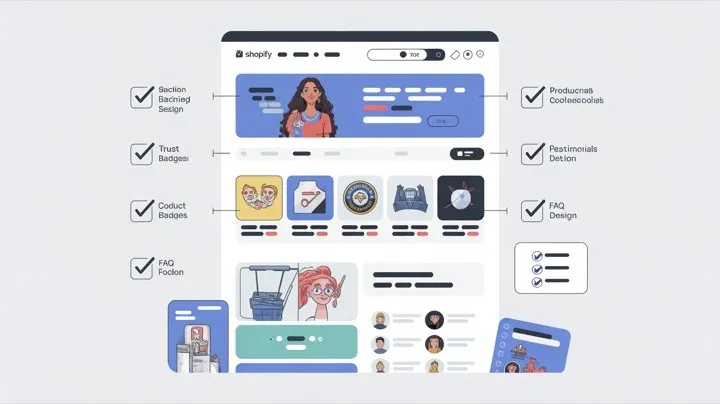
The best-performing hero sections follow a simple formula: one clear headline that communicates your value proposition, one lifestyle image or video showing the product in use, and one CTA button with action-driven text (“Shop Now” or “See Collection” — not “Learn More”).
Avoid image carousels. Research from the University of Notre Dame shows that auto-rotating sliders reduce engagement — the first slide takes the overwhelming majority of clicks while later slides are largely ignored. A single, strong hero image outperforms a carousel every time.
For dropshipping stores specifically, your hero should communicate what makes your store different. Since you're likely selling products available elsewhere, your hero needs to convey brand identity and trust immediately. This is where AI-generated branding shines — when you build a Shopify store with Dropmagic, the hero section is automatically designed with professional imagery, on-brand copy, and a conversion-optimized layout.
Product Sections: From Browsing to Buying
Product sections are where browsing becomes buying. For dropshipping stores, these sections need to overcome a specific challenge: your products often lack the brand recognition that drives purchases at established retailers.
Product Grid Best Practices
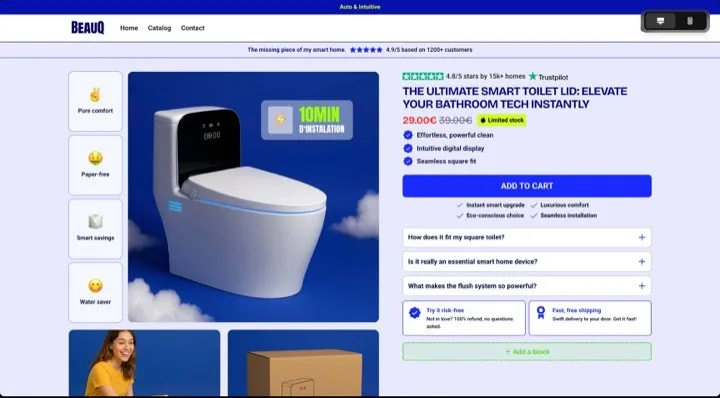
Show prices directly on the grid — don't make visitors click through to see pricing. Including star ratings and quick-add buttons on product grids measurably increases add-to-cart rates. On mobile, use a 2-column grid (not 3 or 4) to keep product images and text readable.
Feature your best sellers prominently. Labels like “Best Seller” or “Customer Favorite” leverage social proof at the browsing stage, helping undecided shoppers pick products that others have already validated.
Product Page Sections
Your product page is where the purchase decision happens. Essential sections include:
-
Image gallery — multiple angles, lifestyle shots, and zoom capability
-
Benefit-driven description — not supplier specs, but customer-focused copy
-
Price and variants — clear pricing with any discounts highlighted
-
Add to cart with urgency — stock counter, shipping estimate
-
Trust block — security badges, return policy, guarantee
-
Reviews section — star ratings and customer testimonials
-
FAQ accordion — shipping times, sizing, return process
Writing unique product descriptions for every item is one of the biggest time sinks when you build a Shopify store manually. An AI store builder eliminates this bottleneck — paste a product URL and get conversion-optimized copy, professional imagery, and all the sections above generated automatically.
For more on product copy, see our guide on AI-powered product descriptions for dropshipping SEO
Trust and Social Proof Sections
Trust is the number one conversion barrier for dropshipping stores. According to the Edelman Trust Barometer, 81% of consumers say they need to trust a brand before they'll buy. Visitors have never heard of your brand, and they're weighing whether you're legitimate before they'll enter payment details. Your trust sections need to address this head-on.
Where to Place Trust Elements
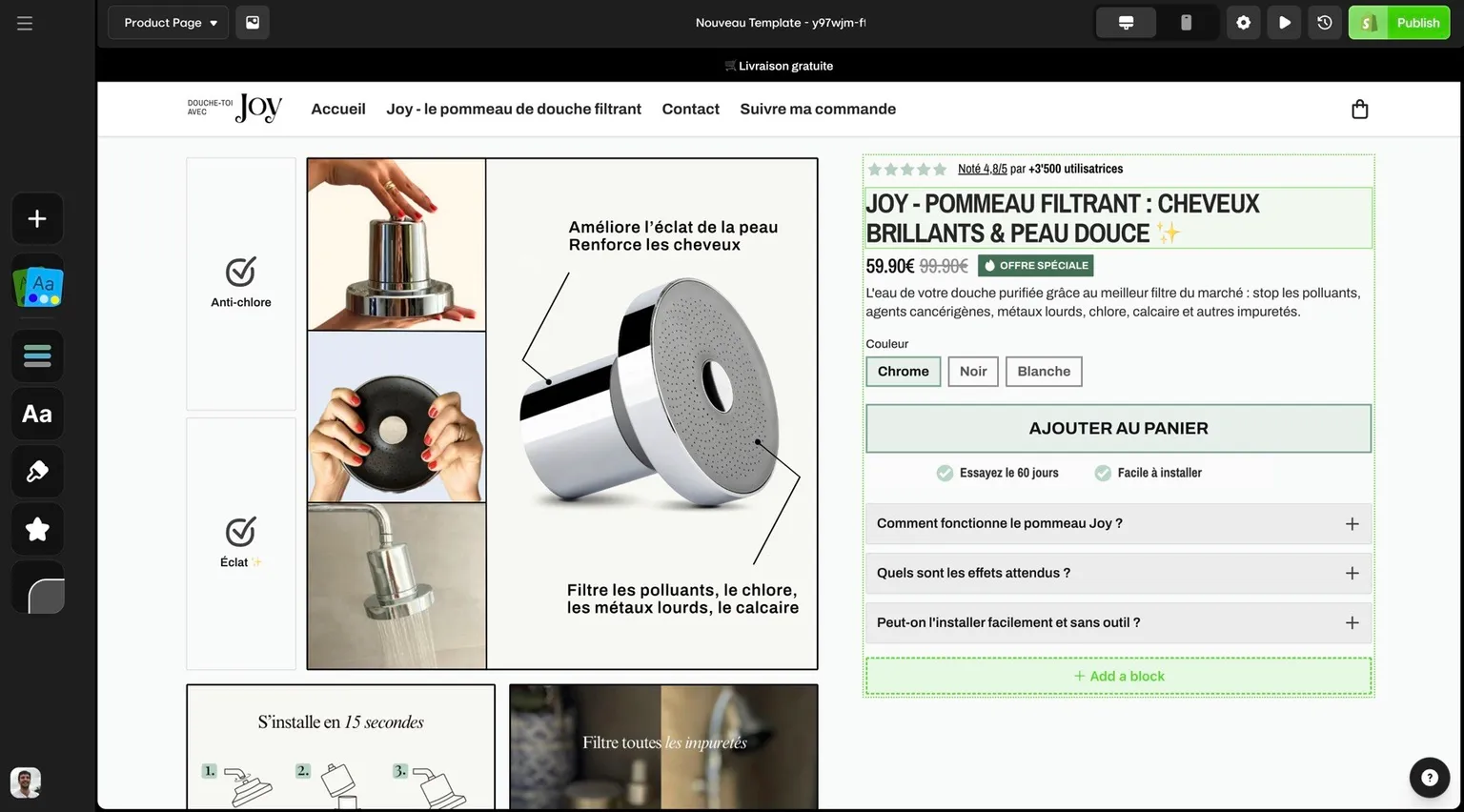
Don't save trust signals for the checkout page — by then, many visitors have already left. The best Shopify themes place trust elements in three locations: below the hero (benefits bar with shipping, returns, and support icons), on every product page (security badges, guarantee, reviews), and at checkout (payment security, return policy reminder).
Social Proof That Actually Works
Customer reviews with names, locations, and photos carry far more weight than anonymous star ratings. Research from Spiegel Research Center shows that displaying five reviews raises purchase likelihood by 270% versus no reviews, and lifts conversion by 380% on higher-priced products. Phrases like “Sarah from Austin, TX — Verified Purchase” feel authentic and relatable to US shoppers.
Avoid fake testimonials or generic stock photos posing as customer images. Savvy online shoppers can spot these instantly, and they destroy trust faster than having no reviews at all.
Dropmagic includes pre-built social proof sections — review blocks, trust badge areas, customer testimonial layouts, and urgency triggers — all modeled on patterns from 8-figure ecommerce brands. These are applied automatically when creating your dropshipping store. See how Dropmagic compares to other solutions in our AI store builder comparison.
Mobile Section Design: Non-Negotiable in 2026
With most online shopping now happening on mobile, your sections must be designed mobile-first — not adapted after the fact. Mobile cart abandonment hits 85.65% per Barilliance research, and poor section design is a major contributor.
Mobile Section Checklist
-
Touch targets: All buttons and links at least 44px for thumb-friendly tapping (per Apple Human Interface Guidelines)
-
Font size: Minimum 16px body text — no squinting
-
Image loading: Compressed, lazy-loaded images that don't block page render
-
Single-column layouts: For product descriptions, FAQs, and content sections
-
Sticky add-to-cart: Keep the purchase button visible as users scroll product pages
-
Simplified navigation: Hamburger menu with clear categories, search prominently visible
The best Shopify themes handle responsive design well, but many dropshipping stores still break on mobile because of custom apps, unoptimized images from suppliers, or theme modifications that weren't tested on phones.
AI Shopify store builder tools solve this by generating mobile-first layouts from the start. Every section Dropmagic creates — from hero to checkout — is designed for small screens first, then scales up for desktop.
Urgency and Scarcity Sections
Urgency elements lift conversion rates when the scarcity is genuine — but only when used honestly. Fake countdown timers that reset on page refresh or “Only 2 left!” messages on products with unlimited supply will damage trust if customers notice — and they often do.
Effective Urgency Tactics for Dropshipping Stores
Use real stock counters tied to your actual inventory. Display genuine shipping cutoff times (“Order within 3 hours for delivery by Friday”). Highlight limited-time promotions with honest deadlines.
Free shipping thresholds (“Free shipping on orders over $50”) create urgency to add more items while also increasing average order value — a double win for dropshipping stores where margins are tight.
The Best Shopify Themes for Section Design
Not all themes handle sections equally well. When choosing a theme for your dropshipping store, evaluate it based on section flexibility:
| Feature | Standard Shopify Themes | Premium Themes ($180–350) | AI Store Builder (Dropmagic) |
|---|---|---|---|
| Pre-built sections | 10–15 basic | 20–30 customizable | 50+ conversion-optimized |
| Social proof sections | Basic reviews only | Reviews + badges | Full suite (reviews, trust, urgency, social) |
| Mobile optimization | Responsive | Responsive | Mobile-first design |
| Product descriptions | Manual | Manual | AI-generated |
| Customization method | Theme editor | Theme editor + code | Visual drag-and-drop + AI |
| Setup time | Days to weeks | Days to weeks | Minutes |
| Cost | Free – $100 | $180 – $350 | From $29/month |
The best Shopify themes for dropshipping stores are the ones that include conversion-focused sections out of the box — trust blocks, urgency elements, benefit bars, and social proof — so you don't need to install separate apps for each.
For a detailed comparison, see our guide to the top 7 drag-and-drop Shopify page builders. You can also compare Dropmagic with specific competitors:
-
Atlas AI Store Builder vs Dropmagic
-
Shopify Magic vs Dropmagic
-
PagePilot vs Dropmagic
-
Storebuild ai vs Dropmagic
How Dropmagic's 50+ Sections Work
Most of the section design work described above — hero optimization, trust elements, mobile layouts, social proof, product descriptions — is handled automatically when you use an AI Shopify store builder like Dropmagic to build your store AI-powered.
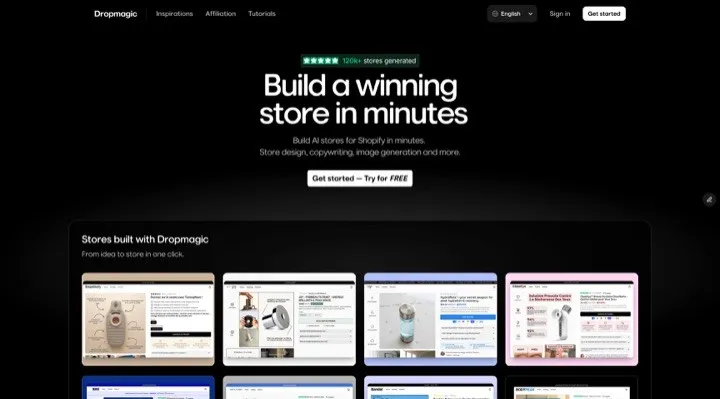
Here's how the process works:
-
Paste a product URL from AliExpress, Amazon, or Alibaba
-
AI analyzes your product and generates appropriate sections
-
50+ section types are available — social proof, urgency, benefits, FAQs, trust badges, side carts, and more
-
Everything is mobile-optimized from the start
-
Drag-and-drop editor lets you rearrange, add, or remove any section
-
One-click Shopify export pushes the complete store to your account
The sections are based on patterns from 8-figure ecommerce brands — not generic templates. Each section type has been tested for conversion performance, so your dropshipping store launches with professional, proven layouts instead of starting from scratch.
For a full walkthrough of what Dropmagic generates, see every feature of the AI store builder explained.
Section Design Mistakes to Avoid
Before launching, audit your sections for these common pitfalls:
-
Slider carousels on the hero — use a single strong image instead
-
No trust signals above the fold — add a benefits bar immediately below the hero
-
Supplier descriptions on product pages — always rewrite or use AI-generated copy
-
Missing FAQ section — dropshipping stores need this for shipping time questions
-
Desktop-only testing — always preview every section on a real phone
-
Too many pop-ups — one email capture is fine; three overlapping modals will spike your bounce rate
-
App overload — each app adds code and slows your store
For a deeper dive into setup errors, see our complete guide to common store setup mistakes and how to fix them.
FAQs
What sections do the best Shopify themes include for dropshipping?
The best Shopify themes for dropshipping stores include hero banners with single CTAs, product grids with visible pricing and quick-add buttons, trust sections with security badges and guarantees, social proof blocks for reviews and testimonials, benefits bars highlighting shipping and returns, urgency elements like stock counters, and FAQ accordions on product pages. Premium themes offer 20–30 customizable sections, while an AI store builder like Dropmagic provides 50+ conversion-optimized sections designed specifically for dropshipping.
How many sections should a dropshipping store homepage have?
A well-structured dropshipping store homepage typically needs 6–8 sections: hero banner, benefits bar, featured products or best sellers, social proof or testimonials, value proposition or brand story, new arrivals or trending products, newsletter signup, and footer. More isn't always better — each section should serve a clear purpose in moving visitors toward a purchase.
Can I build a Shopify store without coding skills?
Yes. Shopify's native theme editor lets you customize sections with drag-and-drop. However, many conversion-critical elements (trust badges, urgency timers, advanced social proof) require separate app installations with standard themes. An AI Shopify store builder like Dropmagic generates all of these sections automatically — no coding, no app hunting, and no design skills required. You can build your store AI-powered and then customize everything through a visual editor.
How do AI store builders handle section design differently?
Traditional Shopify themes give you empty section templates that you fill in manually — writing copy, uploading images, configuring settings. An AI store builder like Dropmagic takes a fundamentally different approach: paste a product URL, and the AI generates complete sections with persuasive copy, optimized layouts, trust elements, and mobile-responsive design. You get a fully finished store with 50+ section types instead of a blank canvas that needs days of manual configuration.
Which sections have the biggest impact on dropshipping conversion rates?
The three highest-impact sections for dropshipping stores are product pages (where the purchase decision happens), trust sections (which overcome the “never heard of this brand” barrier), and mobile-optimized checkout flows (which address the 85.65% mobile cart abandonment rate reported by Barilliance). Getting these three right typically matters more than tweaking hero banners or footer layouts.
What's the fastest way to build a Shopify store with optimized sections?
The fastest method is using an AI Shopify store builder like Dropmagic. Instead of manually configuring each section across a theme — which typically takes days to weeks — Dropmagic generates all 50+ section types (hero, product pages, trust blocks, social proof, urgency, FAQ, and more) in minutes. Traditional approaches require picking from the best Shopify themes, installing conversion apps, and writing all copy manually.
Looking for an AI-powered way to build your dropshipping store? See our complete guide to AI dropshipping store builders in 2026.